
H4:Control schemes
From Halopedia, the Halo wiki
The following control schemes are available for use in Halo 4 for Xbox 360. For the control schemes of the remaster included in Halo: The Master Chief Collection, see here.
Halo 4 (Xbox 360)[edit]
Stick Layout[edit]
Not Inverted[edit]
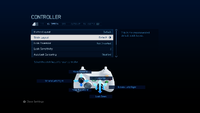 Default
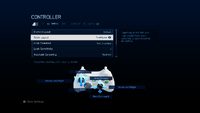 Southpaw
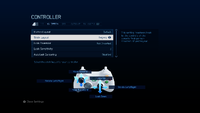 Legacy
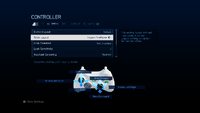 Legacy Southpaw


Inverted[edit]
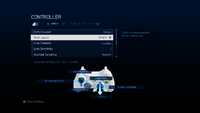 Default
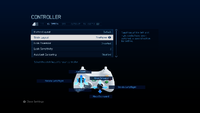 Southpaw
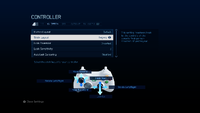 Legacy
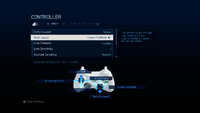 Legacy Southpaw


Button Layout[edit]
Default[edit]

| Button | Input action |
|---|---|
| Jump | |
| Crouch | |
| Action/Reload | |
| Switch Weapons | |
| Sprint | |
| Zoom | |
| Fire Weapon | |
| Throw Grenades | |
| Melee | |
| Use Armor Ability | |
| Loadouts and Settings | |
| Scoreboard | |
| Select next available grenade type | |
| Select previous available grenade type |
Southpaw[edit]

| Button | Input action |
|---|---|
| Jump | |
| Crouch | |
| Action/Reload | |
| Switch Weapons | |
| Sprint | |
| Zoom | |
| Throw Grenade | |
| Fire Weapon | |
| Use Armor Ability | |
| Melee | |
| Loadouts and Settings | |
| Scoreboard | |
| Select next available grenade type | |
| Select previous available grenade type |
Boxer[edit]

| Button | Input action |
|---|---|
| Jump | |
| Sprint | |
| Action/Reload | |
| Switch Weapons | |
| Crouch | |
| Zoom | |
| Fire Weapon | |
| Melee Attacks | |
| Throw Grenade | |
| Use Armor Ability | |
| Loadouts and Settings | |
| Scoreboard | |
| Select next available grenade type | |
| Select previous available grenade type |
Green Thumb[edit]

| Button | Input action |
|---|---|
| Jump | |
| Crouch | |
| Action/Reload | |
| Switch Weapons | |
| Sprint | |
| Melee | |
| Fire Weapon | |
| Throw Grenade | |
| Zoom | |
| Use Armor Ability | |
| Loadouts and Settings | |
| Scoreboard | |
| Select next available grenade type | |
| Select previous available grenade type |
Bumper Jumper[edit]

| Button | Input action |
|---|---|
| Sprint | |
| Action/Reload | |
| Use Armor Ability | |
| Switch Weapons | |
| Crouch | |
| Zoom | |
| Fire Weapon | |
| Throw Grenade | |
| Melee Attack | |
| Jump | |
| Loadouts and Settings | |
| Scoreboard | |
| Select next available grenade type | |
| Select previous available grenade type |
Recon[edit]

| Button | Input action |
|---|---|
| Jump | |
| Melee | |
| Sprint | |
| Switch Weapons | |
| Crouch | |
| Zoom | |
| Fire Weapon | |
| Throw Grenade | |
| Action/Reload | |
| Use Armor Ability | |
| Loadouts and Settings | |
| Scoreboard | |
| Select next available grenade type | |
| Select previous available grenade type |
Fishstick[edit]

The "Fishstick" control scheme is designed to emulate that of modern military shooters such as Call of Duty. The name "Fishstick" is a reference to the abbreviation of COD.
| Button | Input action |
|---|---|
| Jump | |
| Crouch | |
| Action/Reload | |
| Switch Weapons | |
| Sprint | |
| Melee | |
| Fire Weapon | |
| Zoom | |
| Throw Grenade | |
| Use Armor Ability | |
| Loadouts and Settings | |
| Scoreboard | |
| Select next available grenade type | |
| Select previous available grenade type |
Hidden input actions[edit]
 This section is a stub. You can help Halopedia by expanding it. Reason: This doesn't include "Increase camera movement speed" and "Decrease camera movement speed" information, unlike this section.
| Input action | Combination | Note |
|---|---|---|
| Alert carry | Hold "B Button" + "Action/Reload" + "Jump" + “↓ D-Pad" for 3 seconds.[Note 1] | Only works in "Local" or "System Link". |
| Enable/disable coordinates/camera mode | Hold "B Button" + "Action/Reload" + "Jump" + “↑ D-Pad" for 3 seconds. | |
| Enable/disable Pan Cam | Press "Crouch" + "Zoom" + "← D-pad" | These are after the coordinates/camera mode is enabled. |
| Hide/show coordinates | Press "Crouch" + "Zoom" + "→ D-pad" |
Forge[edit]

The following controls are for use in Halo 4's Forge mode.
| Input action | Stick Layout | ||||||
|---|---|---|---|---|---|---|---|
| Movement | Depends on the "Stick Layout" setting. | ||||||
| Pivot | Depends on the "Stick Layout" and "Look Inversion" settings. | ||||||
| Button Layout | |||||||
Default |
Southpaw |
Boxer |
Green Thumb |
Bumper Jumper |
Recon |
Fishstick
| |
| Drop/Pick up | A | ||||||
| Tools | B | ||||||
| Object Options | X | ||||||
| Delete | Y | ||||||
| Fly Down | Left Bumper | ||||||
| Fly Up | Right Bumper | ||||||
| Thrust | Left Trigger | Right Trigger | Left Trigger | ||||
| Rotate | Right Trigger | Left Trigger | Right Trigger | ||||
| Lock | ← D-Pad | ||||||
| Play/Edit | ↑ D-Pad | ||||||
| Reset | → D-Pad | ||||||
| Duplicate | ↓ D-Pad | ||||||
| Combination | |||||||
| Push monitor forward | Rotate + move forward | ||||||
| Push monitor backward | Rotate + move backward | ||||||
| Rotate item | Rotate + (move Left or right) (look left, up, right, or down) | ||||||
Theater[edit]

- This section is a stub. You can help Halopedia by expanding it.
Other control options[edit]
With the "Stick Layout", "Look Inversion", and "Button Layout" settings mentioned above, here are the rest of the settings.
| Setting | Options | Official description | |
|---|---|---|---|
| Look Sensitivity | 1 | Select how quickly you look around.
Select the speed at which you look around. Lower speeds are recommended for players that have difficulty aiming. Higher speeds are only recommended for experienced Halo players. | |
| 2 | |||
| 3 | Default | ||
| 4 | |||
| 5 | |||
| 6 | |||
| 7 | |||
| 8 | |||
| 9 | |||
| 10 | |||
| Autolook Centering | Disabled | Default | Select whether your view is automatically centered.
DISABLED: your view is not centered when you move forward. ENABLED: your view is automatically centered when you move forward. |
| Enabled | |||
| Crouch Behavior | Toggle Crouch | Default | Select how the crouch button functions.
HOLD TO CROUCH: hold the Crouch button to stay crouched. Release the Crouch button to stand up. TOGGLE CROUCH: one press of the Crouch button will make you crouch. A second press will make you stand up again. |
| Hold to Crouch | |||
| Clench Protection | Disabled | Default | Select whether to protect against accidental stick presses.
DISABLED: no protection against accidental stick presses. ENABLED: you are protected against accidental stick presses. |
| Enabled | |||
| Flight Inversion | Not Inverted | Default | Select how you dive and climb while flying.
NOT INVERTED: moving the look stick forward makes flying vehicles climb. INVERTED: moving the look stick forward makes flying vehicles dive. |
| Inverted | |||
Theater Camera[edit]


| Turn Sensitivity | Slow | Select the speed at which you look around.
Select the speed at which you can look around with the Theater camera. | |
| Normal | Default | ||
| Fast | |||
| Very Fast | |||
| Panning | Hold to Pan | Default | Select how the camera pans around.
TOGGLE: one press of the left stick will lock the camera height and allow you to pan the camera. Another press of the left stick will release the camera. HOLD TO PAN: Hold the left stick in to lock the camera height and pan the camera. Release the stick to unlock the camera. |
| Toggle | |||
| Speed | Slow | Select how fast the camera moves.
This controls how fast the Theater camera moves around the environment. | |
| Normal | Default | ||
| Fast | |||
| Very Fast | |||
| Thrust | Slow | Select how fast the camera moves when you thrust.
This controls how fast the Theater camera moves when you press the left trigger to thrust. | |
| Normal | Default | ||
| Fast | |||
Notes[edit]
- ^ Players with "Button Layout" set to "Recon" cannot perform the alert carry.
| |||||||||||

